Live Thumbnail Monitoring
Track connected systems from the admin dashboard with a quick overview of active client screens.
- Real-time thumbnail refresh
- Client selection and quick actions
- Single dashboard for multiple machines
SentraWatch combines a packaged Windows admin console with an Ubuntu client service for live monitoring, VNC-based remote control, file access, remote terminal, DNS history, USB alerts, and MCQ workflows in one classroom-ready platform.
SentraWatch brings together the real modules a faculty team needs during practical sessions, making classroom supervision, student support, and test handling feel direct instead of overloaded.
Track connected systems from the admin dashboard with a quick overview of active client screens.
Start remote sessions from the Windows admin app and interact with Ubuntu clients using the VNC workflow shown in the presentation.
Browse files, read and write content, execute commands, and review terminal history from a unified admin workflow.
Inspect DNS activity, search and export domain history, and surface USB connection alerts from the client machine.
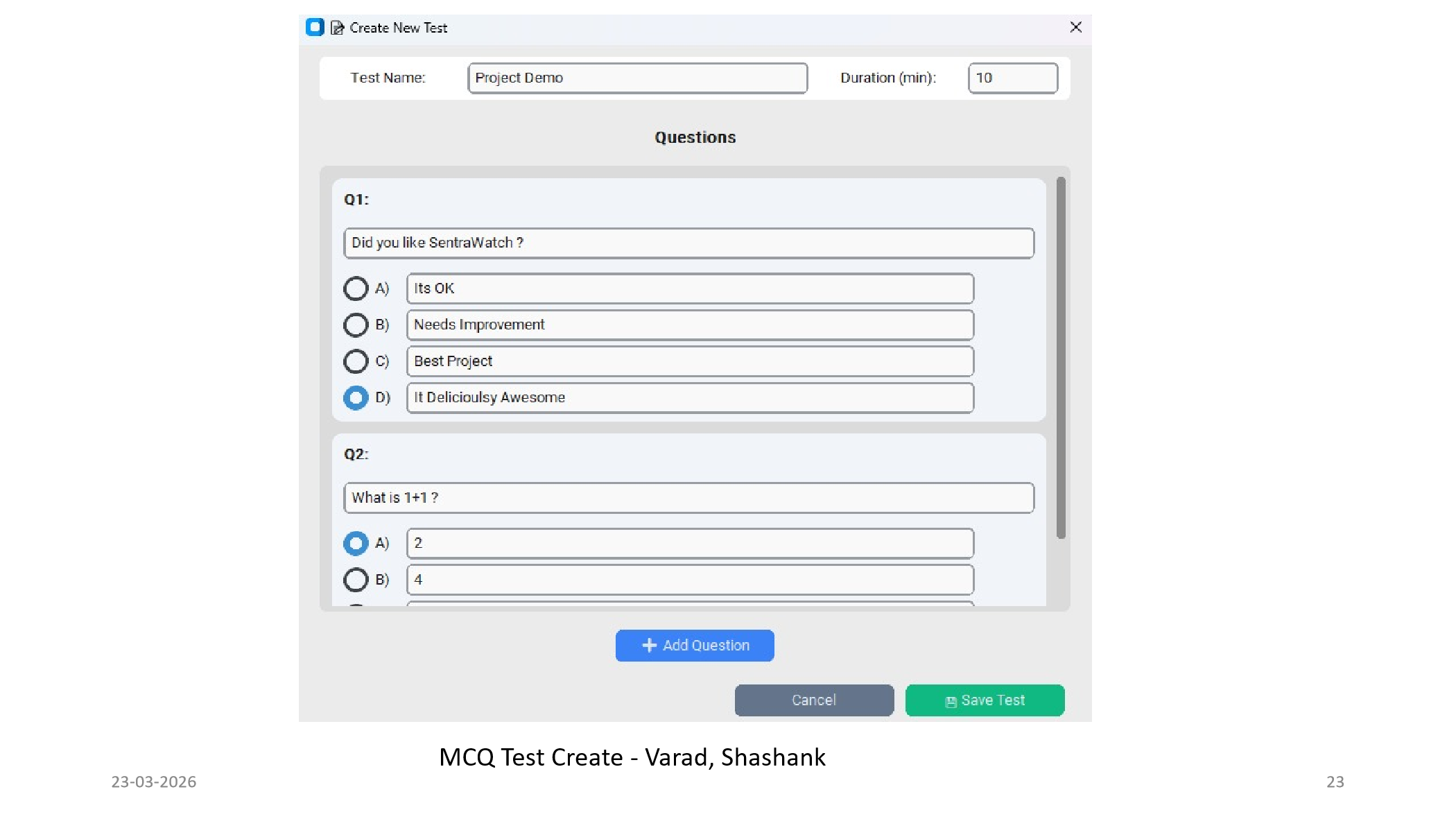
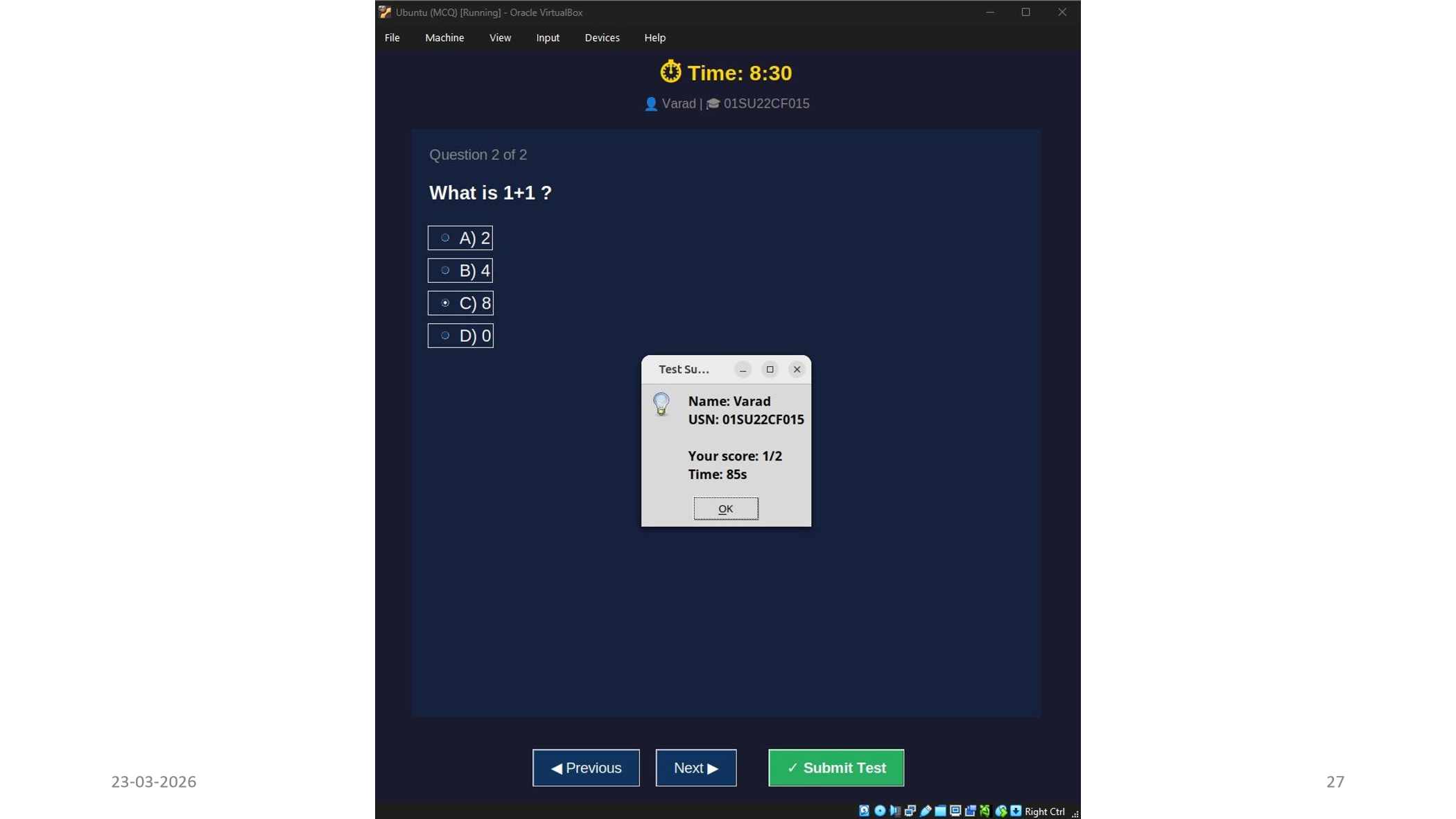
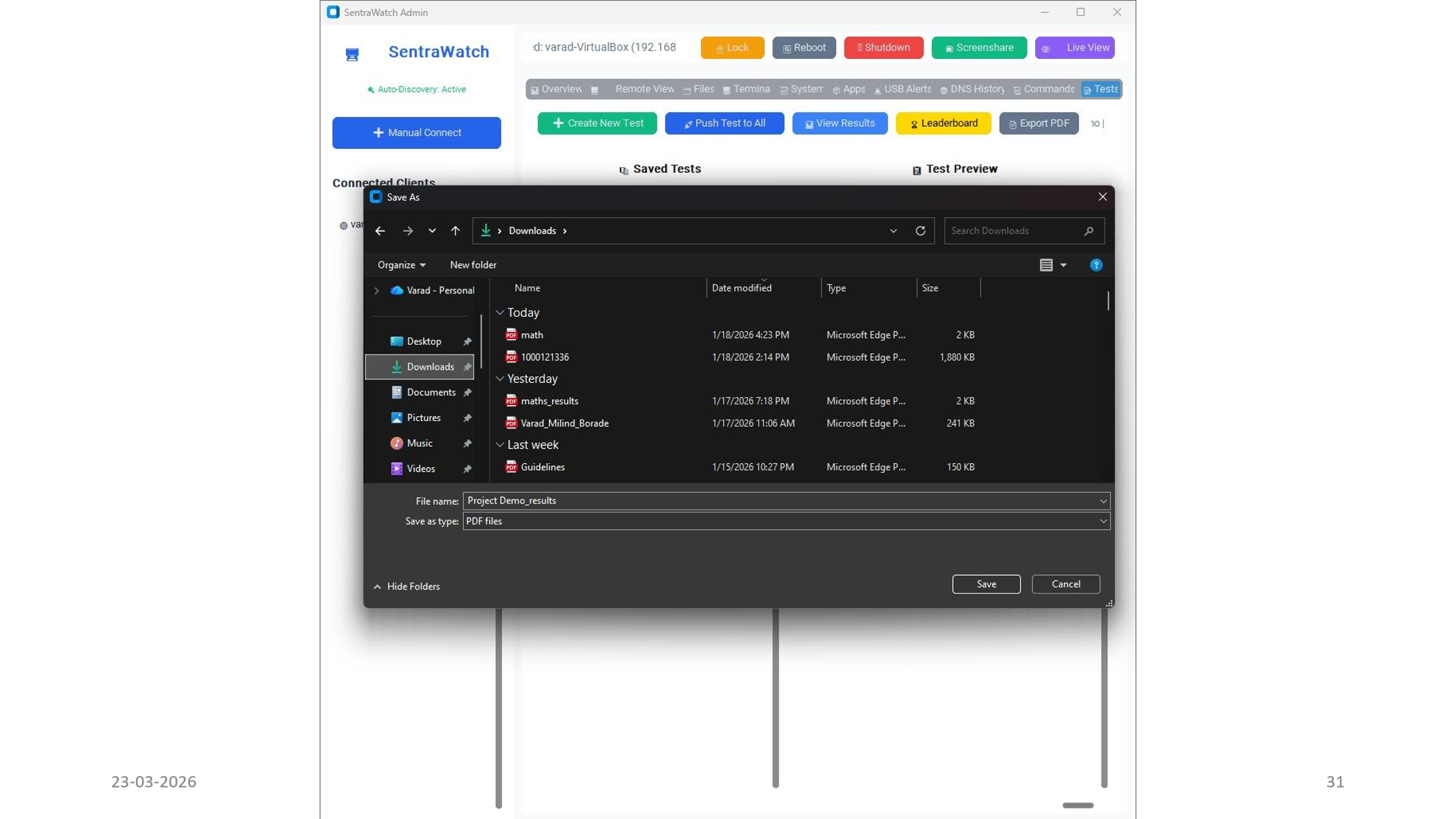
Create classroom tests, push them to clients, collect submissions, view rankings, and export results to PDF.
Lock screens, reboot clients, open URLs, and trigger screen-share or broadcast operations from the admin panel.
This summary comes directly from the admin app, the Ubuntu client folder, and the latest presentation deck.
The admin side is packaged as a Windows installer and exposes the tabs used throughout the project demo: overview, remote view, files, terminal, system, apps, USB alerts, DNS history, commands, and tests.
admin/Outputinstall.shThe client package contains the service installer, screenshot capture logic, VNC start and stop routes, file endpoints, terminal routes, process tools, DNS monitoring, USB alerts, and MCQ test handlers.
password.txtThe current public-facing setup is centered on the SentraWatch tool endpoint on port 5695 and VNC remote access on port 5900.
Take a look at SentraWatch in action through the current UI flow, from live monitoring to tests and reports, and see why it can feel like one of the easiest tools to operate during a busy lab session.
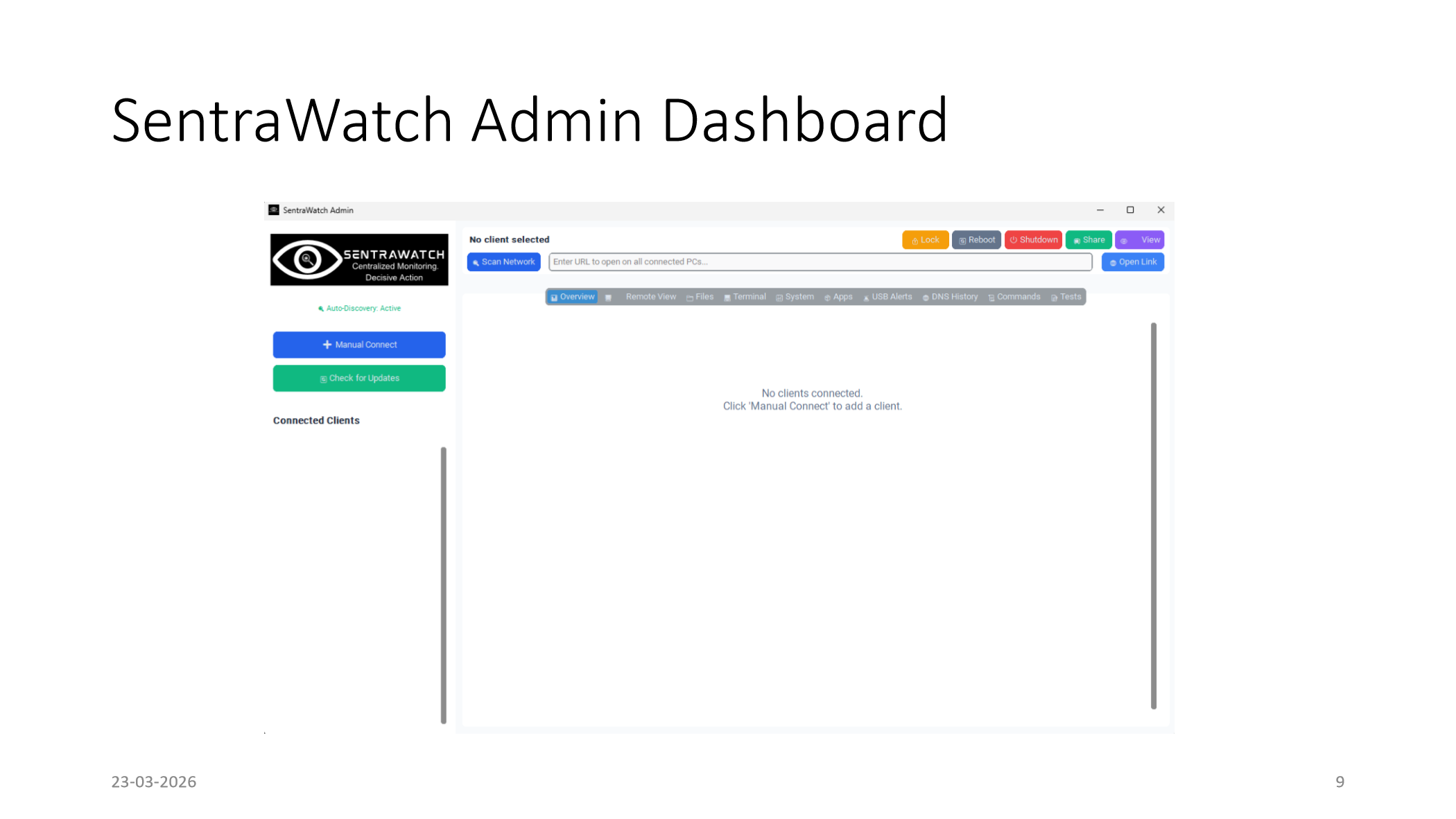
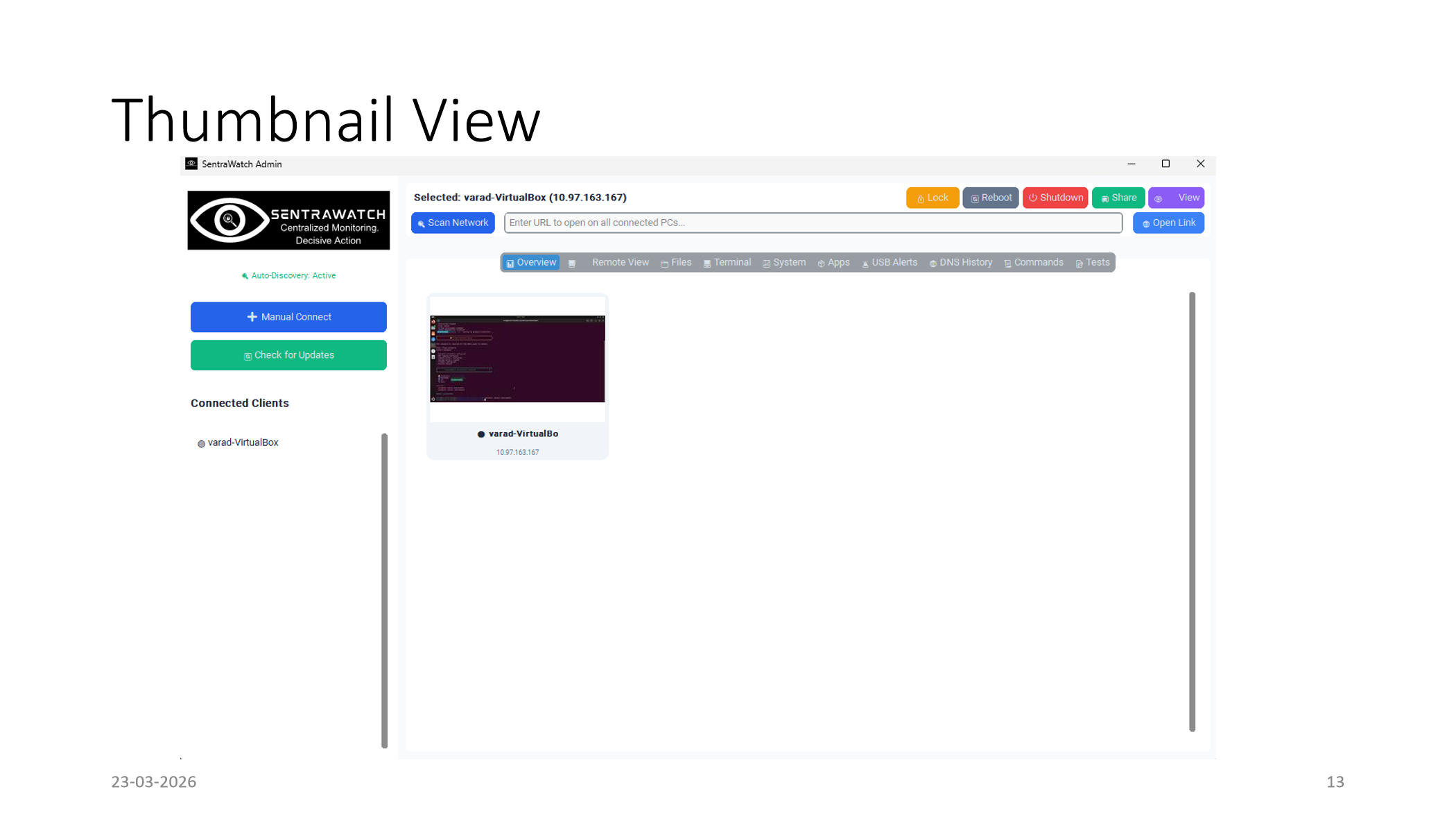
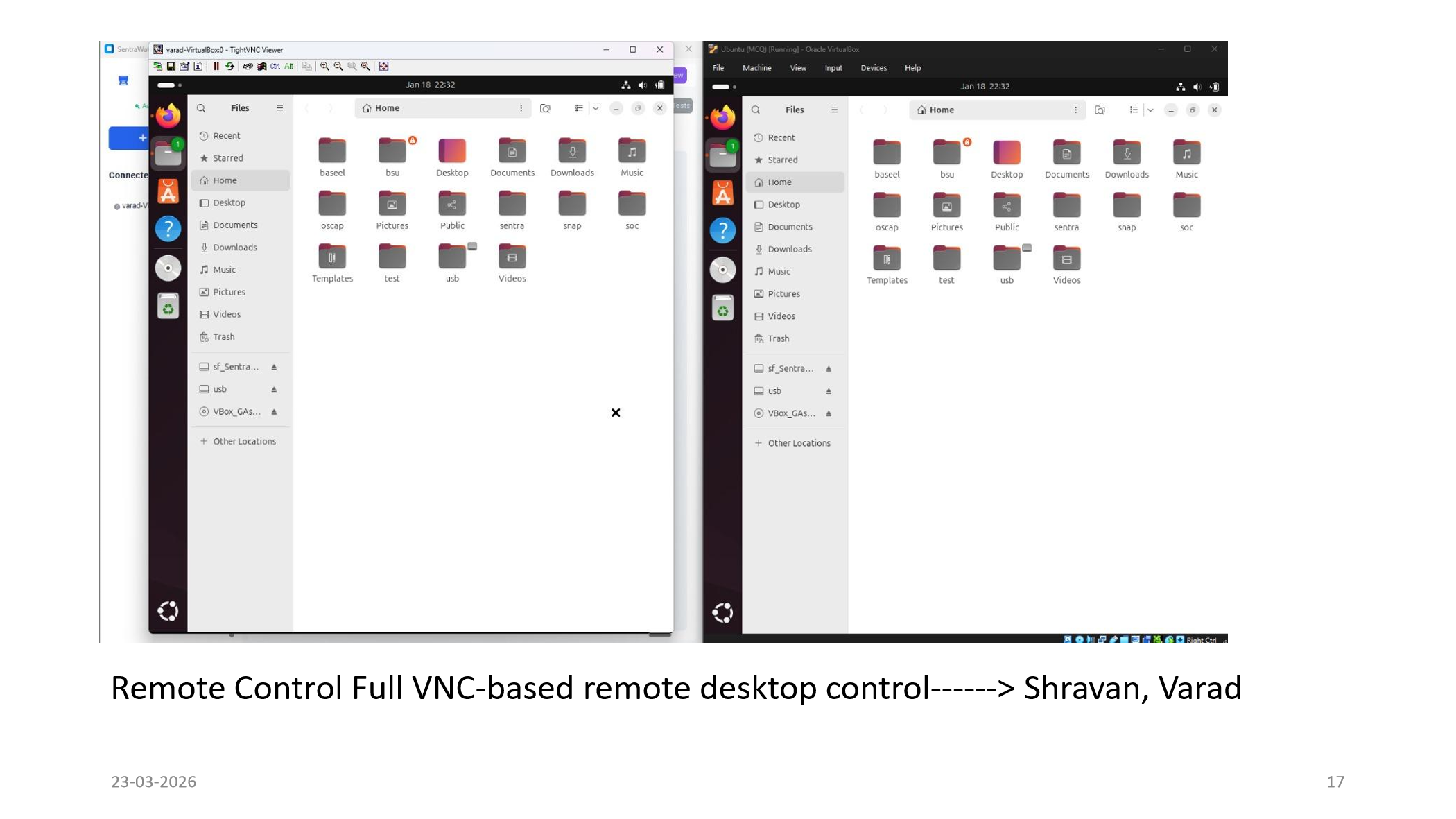
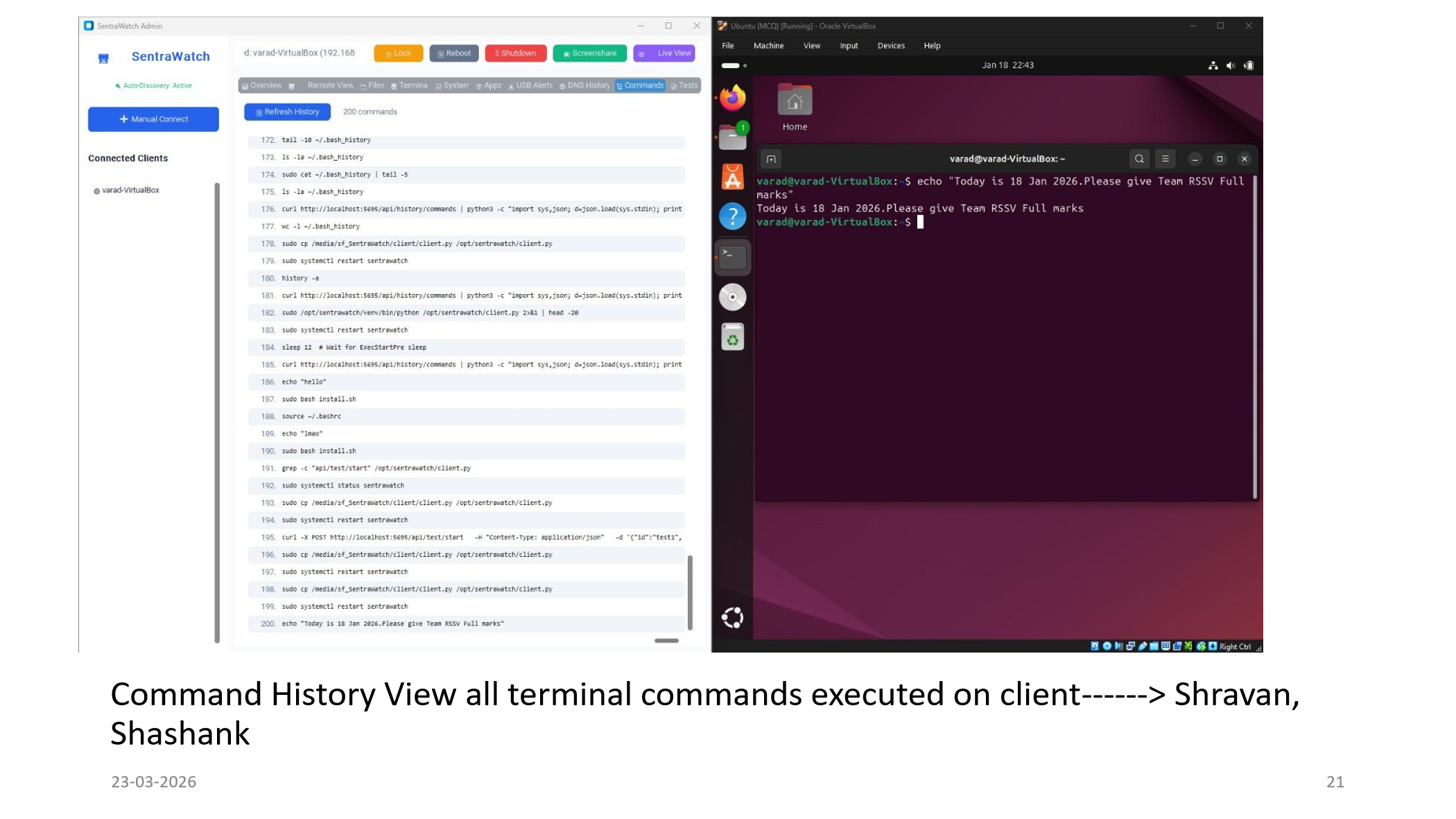
SentraWatch was shaped in a real lab setting with continuous feedback from faculties and lab assistants, helping us solve the practical issues they face during supervision, live guidance, troubleshooting, and assessment.
We worked around real classroom pressure points such as keeping students on the right task, assisting systems quickly without walking to every machine, sharing the right screen at the right time, and keeping test sessions disciplined and smooth.
The platform was not designed in isolation. We spoke with faculties and lab assistants, understood the friction in real practical sessions, and adjusted the control, monitoring, and testing flows to better match how a lab actually runs.
Watch SentraWatch in an actual working environment and see how the tool fits into a live classroom and lab support workflow.
These lab captures show SentraWatch being tested around real supervision, live classroom observation, and hands-on support scenarios.
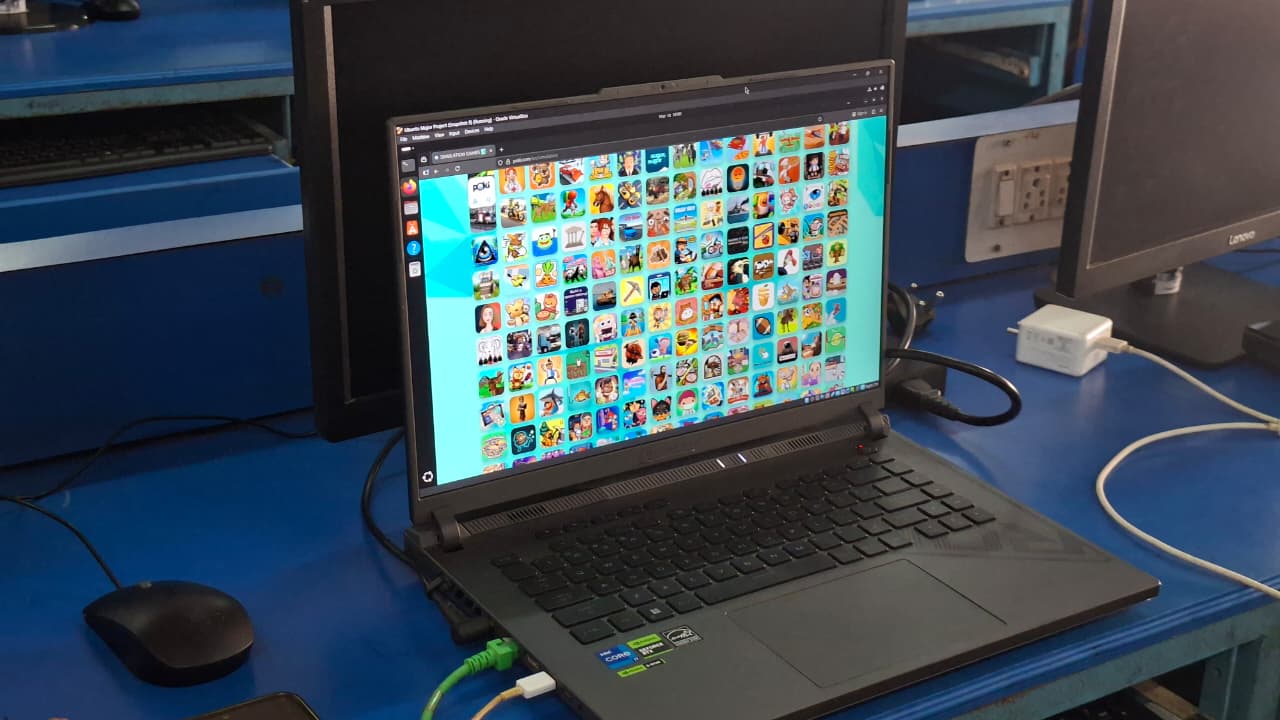
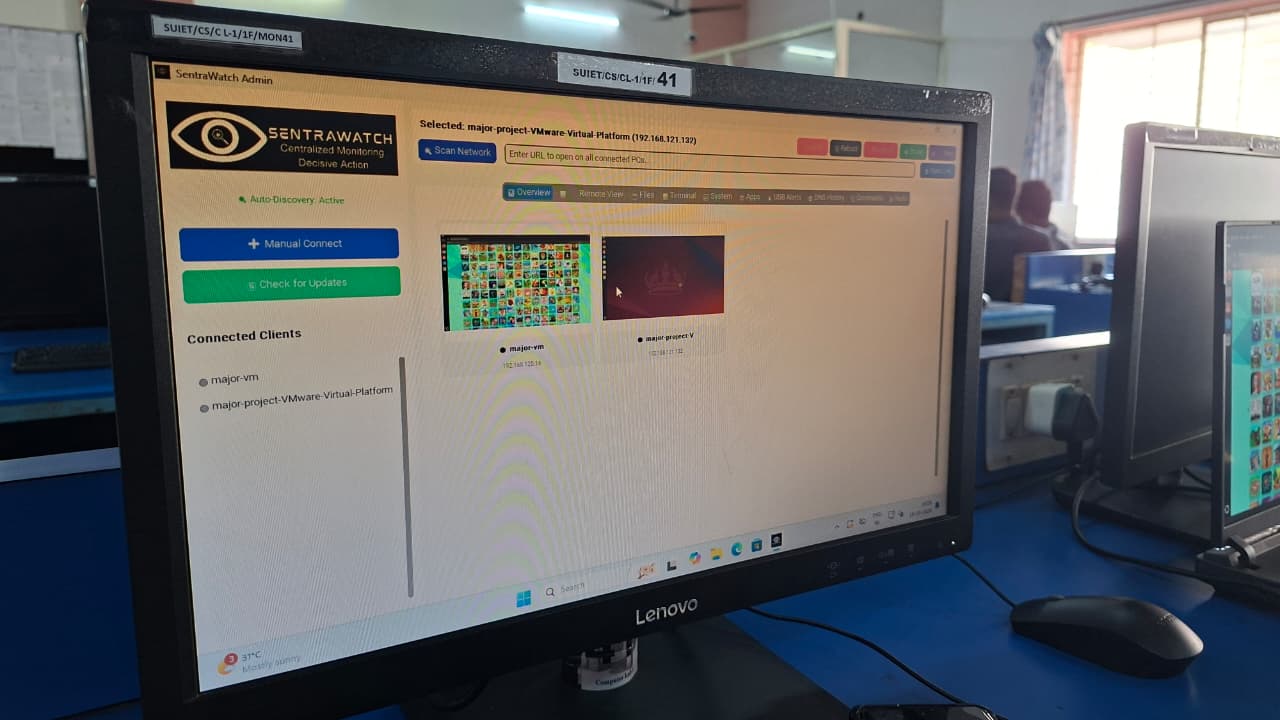
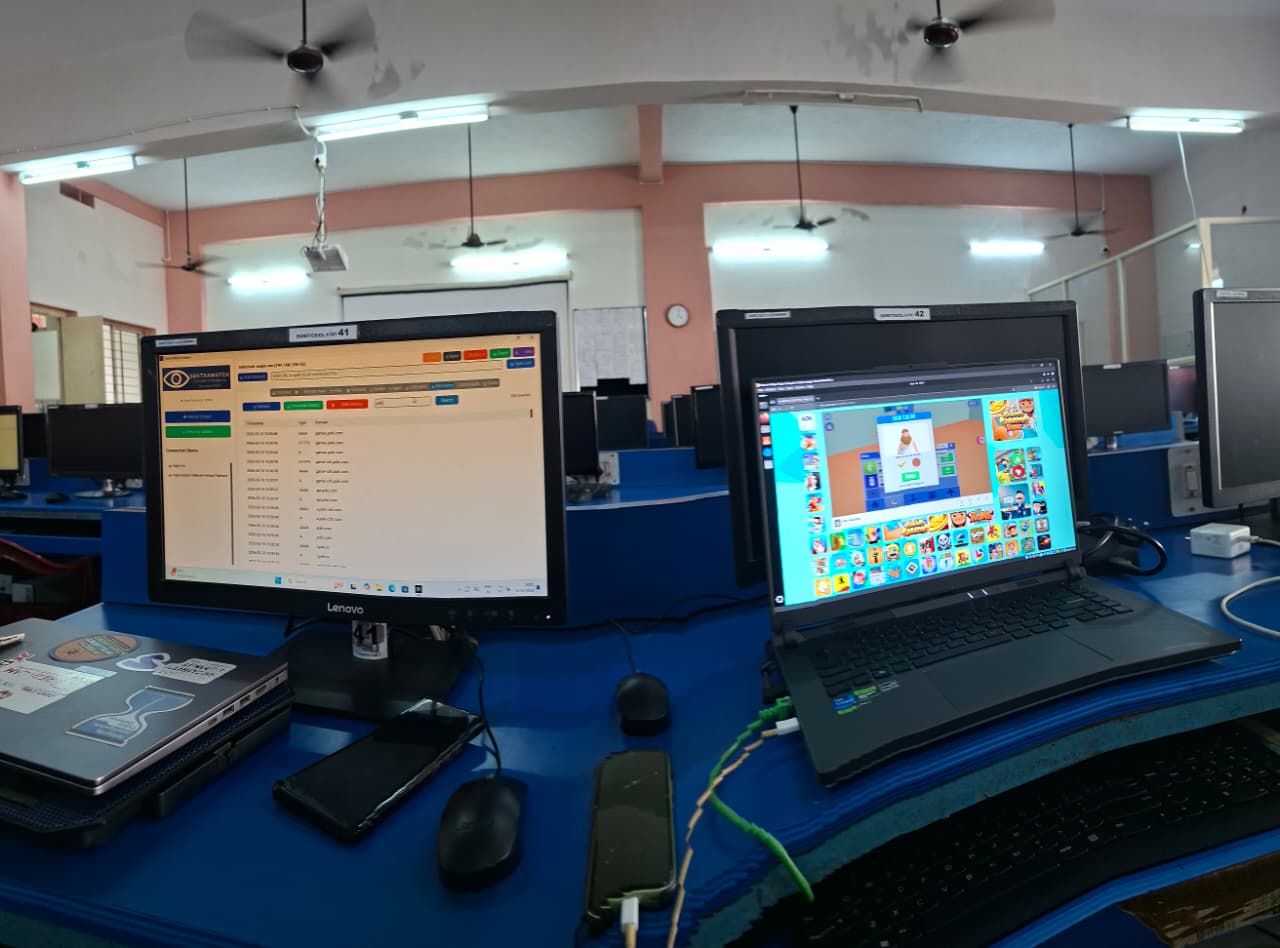
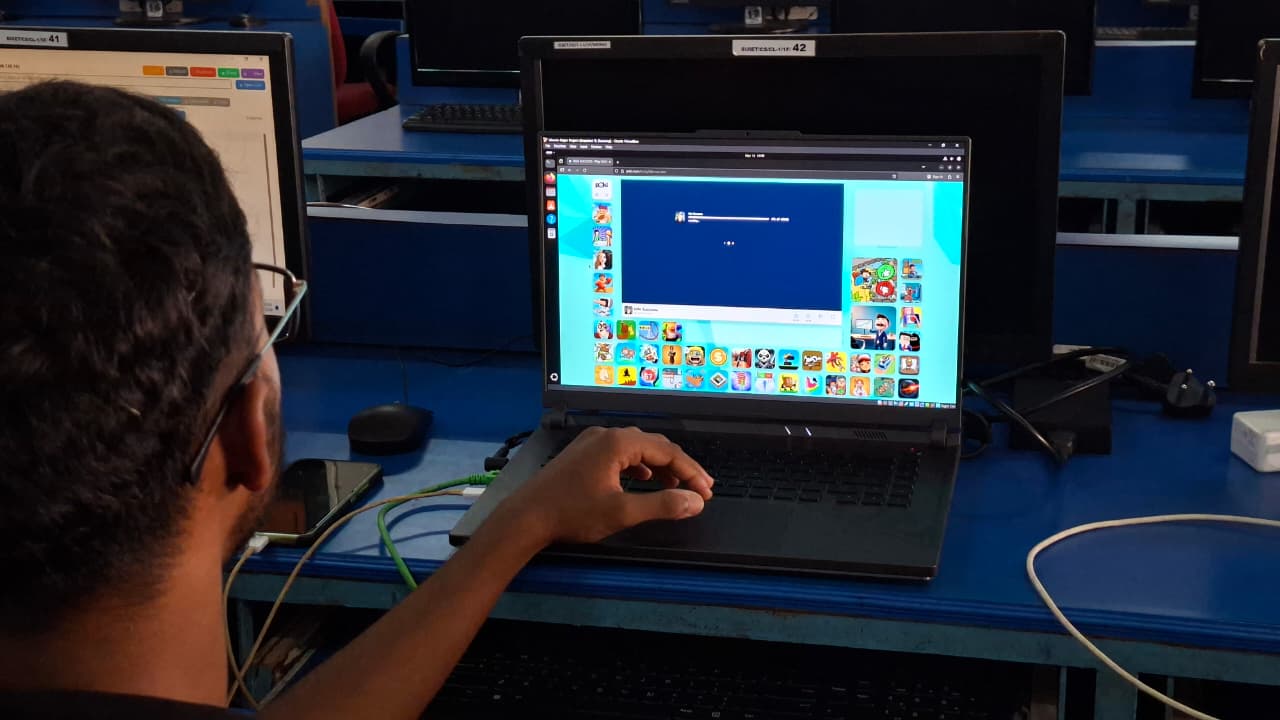
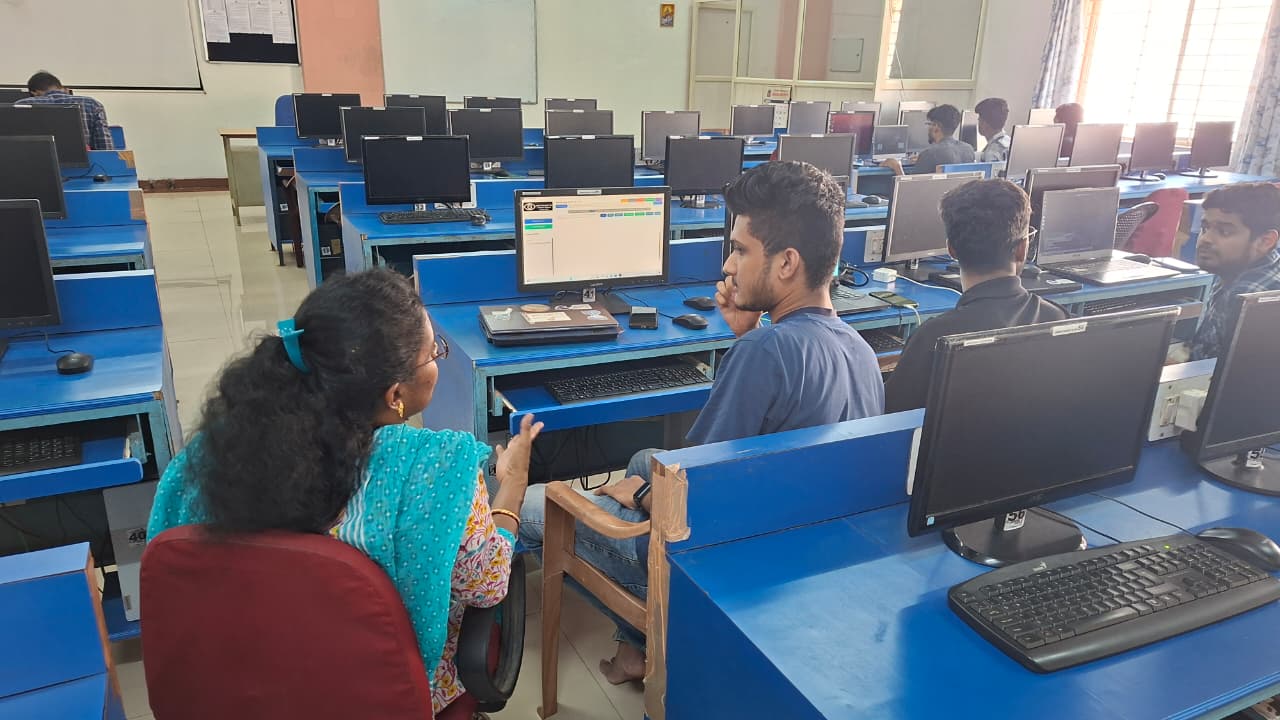
Our lab trials focused on the full classroom cycle: live observation, intervention, controlled sharing, student-side issue handling, and test management. That is why the website emphasizes practical workflows and not generic feature naming alone.
This section keeps the real operating path in one place so a lab can move from download to setup, review the project walkthrough, and reach the right support page without depending on outdated buttons.
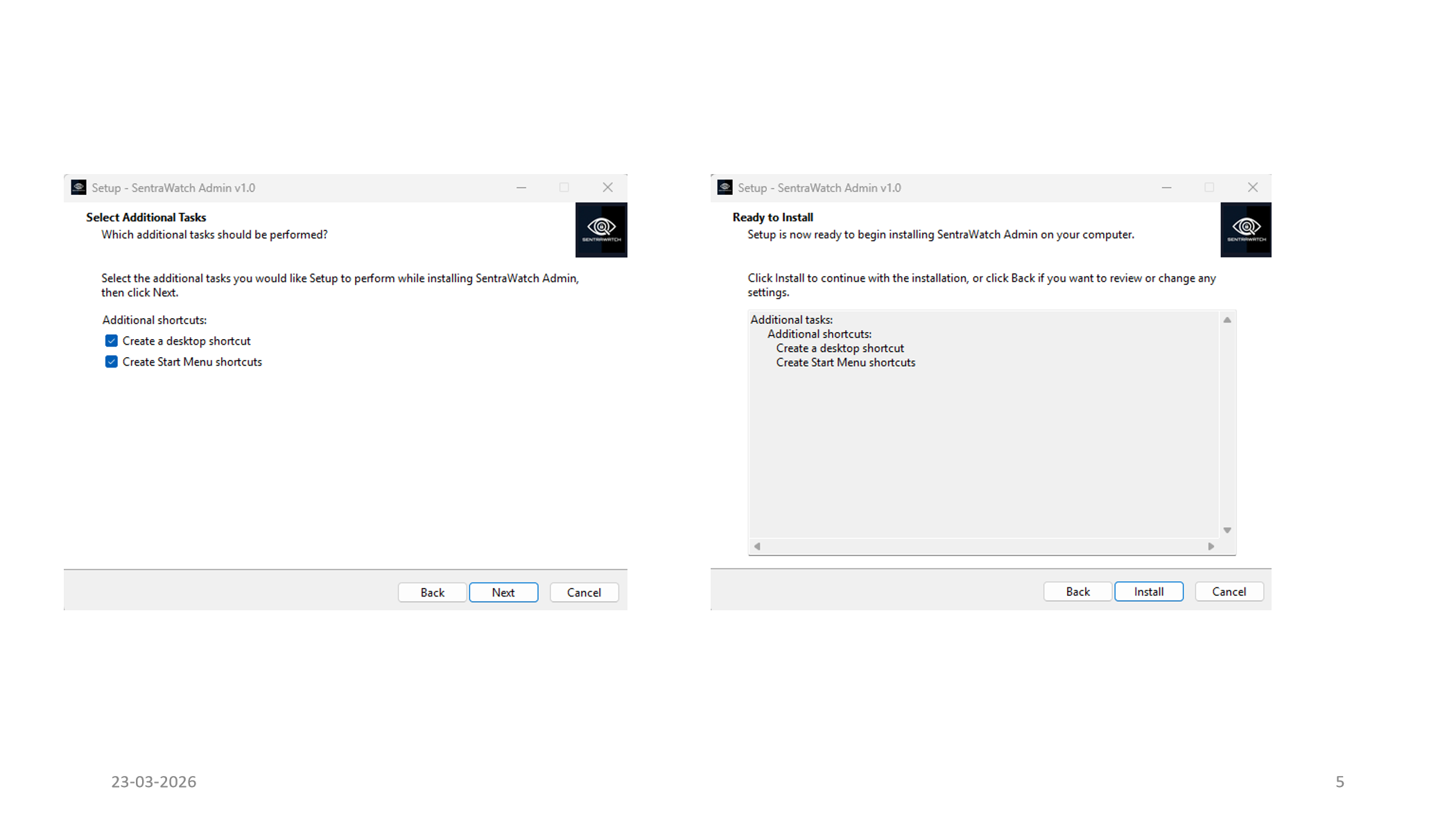
Install the Windows admin app, generate the Ubuntu command with your password, and let auto-discovery find client machines.
The admin installer is bundled directly from the generated output and is ready to download from this site.
The generated command downloads source.zip, extracts the client files, writes password.txt, and launches install.sh from the extracted root.
The site now highlights the two ports you want users to focus on.
Review the full walkthrough with installer screenshots, dashboard flows, remote control, command history, and MCQ demos.
Use the current site pages for support and release status instead of the older markdown buttons.
Team RSSV combines four contributors with shared classroom goals and distinct ownership across the modules that make SentraWatch practical for real lab use.
We named ourselves Team RSSV from the initials of the four authors: R for Regan, S for Shashank, another S for Shravan Kumar UK, and V for Varad.

Monitoring, Broadcast, and Control Workflows
Regan helped shape the visibility and classroom-control side of SentraWatch so faculty can observe, guide, and respond confidently during live lab sessions.

Classroom Discipline and Test Management
Shashank focused on strong classroom oversight and smooth assessment flow, helping SentraWatch support both supervision and formal lab evaluation work.
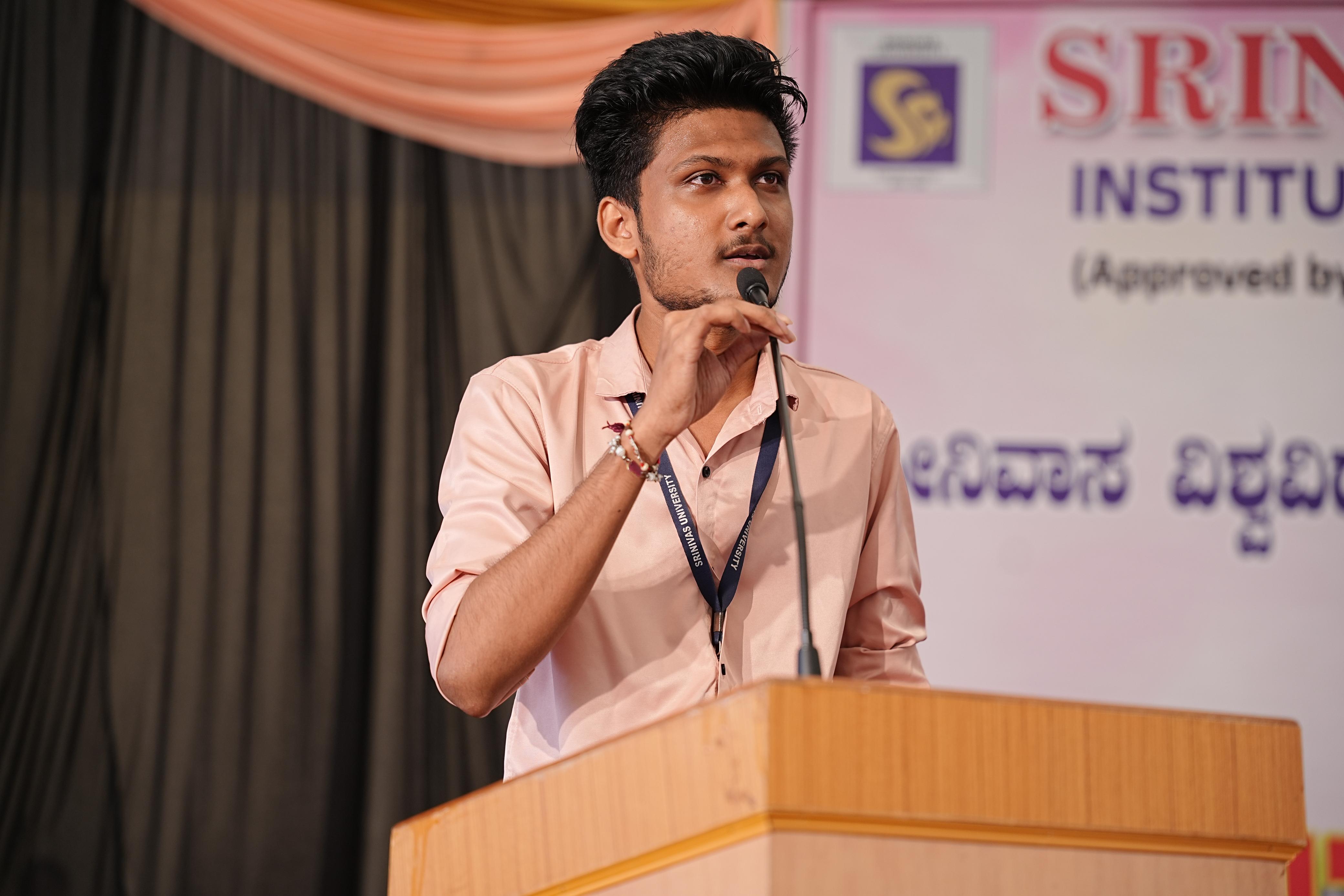
Remote Access and Core Client Operations
Shravan contributed heavily to the remote-access and client-operation side, helping turn SentraWatch into a dependable tool for real-time intervention and system management.

Remote Control, Files, and Automation
Varad supported the operational side of SentraWatch with features that improve remote handling, structured testing, and day-to-day lab administration across many systems.
Download the packaged Windows admin installer or generate an Ubuntu command that downloads source.zip, writes password.txt, and runs install.sh from the extracted root.
For Windows 10/11
WindowsFor Ubuntu 22.04/24.04 LTS
source.zip from the sitepassword.txt automaticallyinstall.sh from extracted rootPaste this into a terminal on the Ubuntu client machine.
Click "Generate Ubuntu Install Command" and enter the client password to build the command.Open Source on GitHub
View on GitHub